


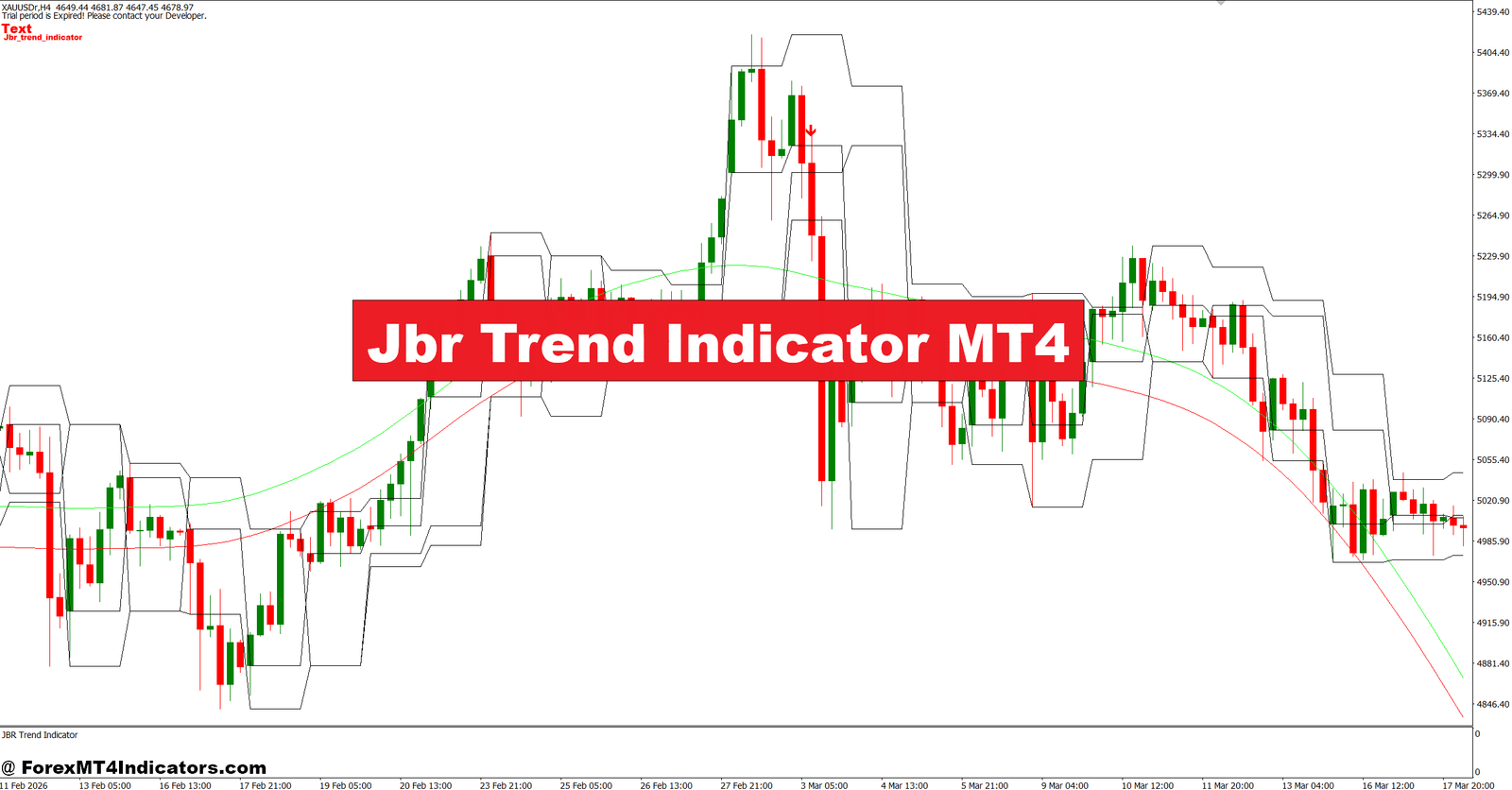
The Jbr Trend Indicator MT4 was built to help reduce that confusion. Instead of reacting to every price movement, it focuses on identifying the broader trend direction and filtering out weaker signals. For traders who get caught in market chop or hesitate during trend formation, tools like this can add structure to the decision process.
No indicator removes uncertainty completely, but understanding how a trend tool works can improve timing and reduce unnecessary trades. The sections below explain how the Jbr Trend Indicator MT4 functions, where it performs best, and how traders can apply it in real market conditions.
What Is the Jbr Trend Indicator MT4?
Jbr Trend Indicator MT4 is a trend-following technical analysis tool designed for the MetaTrader 4 platform. Its primary role is to identify directional market movement and visually display potential bullish and bearish phases.
Unlike simple moving averages that react only to price averages, this indicator appears to combine price smoothing and trend filtering logic to reduce market noise. Depending on the version installed, it often displays colored lines, arrows, or changing trend zones directly on the chart.
The idea is straightforward: traders attempt to align trades with prevailing momentum instead of predicting reversals.
For example:
- Blue or green trend indication may suggest bullish conditions.
- Red indication may suggest bearish momentum.
- Trend color changes can act as alerts for possible entry opportunities.
Many traders pair it with support and resistance levels rather than treating it as a standalone signal generator.
How the Jbr Trend Indicator Works in Real Trading
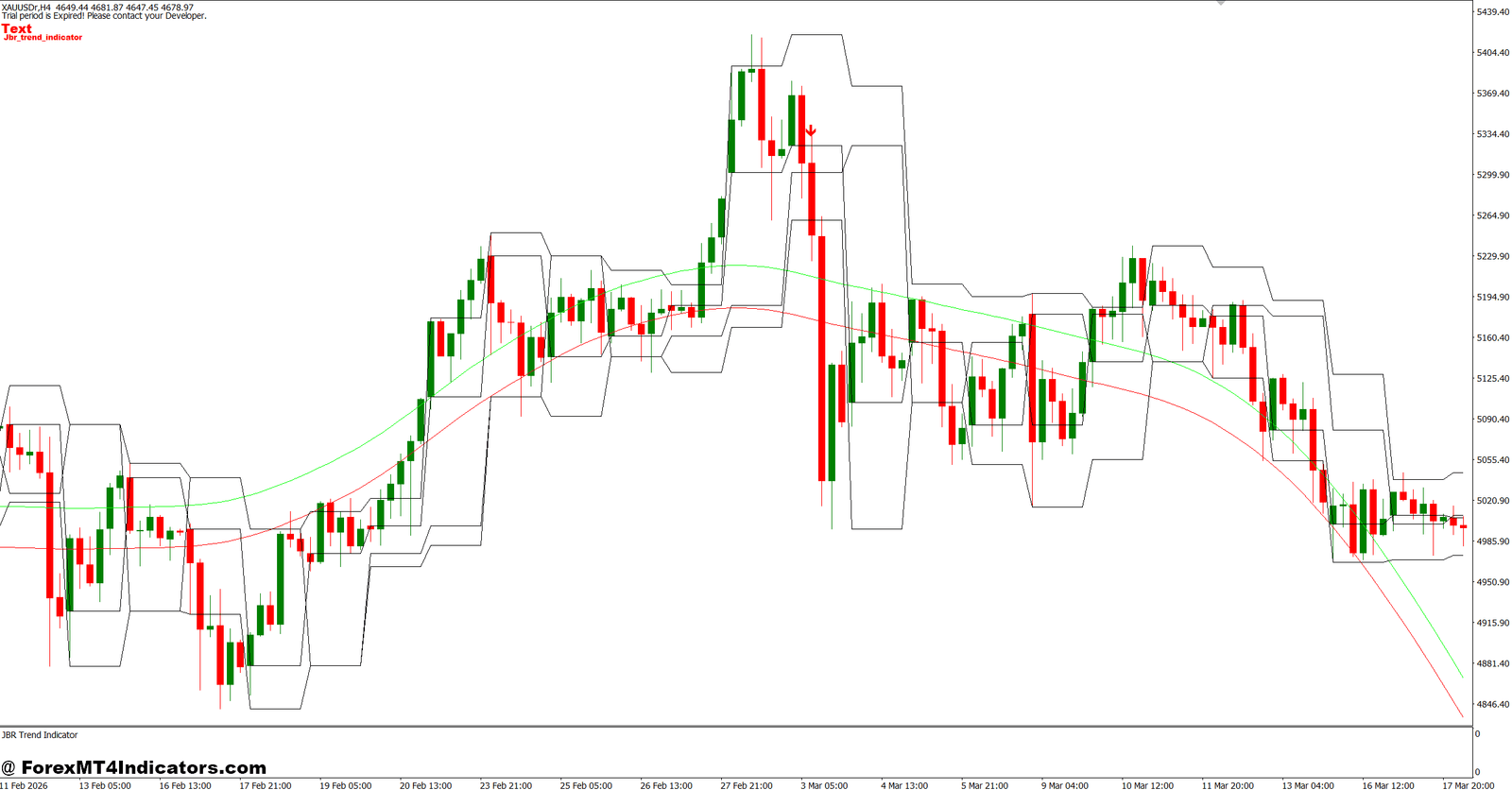
Trend indicators generally analyze historical price movement and apply smoothing techniques to remove smaller fluctuations.
Jbr Trend often reacts after price confirms movement instead of predicting future candles. That delay may sound negative, but in practice it can help avoid fake-outs.
Trend Confirmation Logic
A common workflow looks like this:
- Price closes above indicator trend level.
- Indicator changes direction.
- Traders wait for confirmation candle.
- Entry follows with predefined stop loss.
Consider a practical example.
On EUR/USD (1-hour chart), price traded sideways for nearly eight hours before breaking resistance. The indicator shifted bullish only after two strong candles closed above the recent range.
A trader entering after confirmation could target 40–60 pips while placing a stop below the previous swing low.
Another case:
During a GBP/USD 15-minute London session, multiple quick reversals created noise. The indicator stayed neutral longer than price action alone, helping avoid two losing entries before the actual move developed.
When testing this on volatile NFP days, traders often notice delayed entries but fewer emotional trades.
That trade-off matters.
Practical Setup and Customization Tips
Indicator settings can change behavior dramatically.
Many traders make the mistake of using default values across every timeframe.
Suggested Settings by Trading Style
Scalping (M5–M15)
- Faster smoothing values
- Lower confirmation threshold
- Best used during London or New York overlap
- Pair with spread-sensitive pairs like EUR/USD
Intraday Trading (M30–H1)
- Medium trend sensitivity
- Add a 50-period moving average for confirmation
- Wait for candle close before execution
Swing Trading (H4–Daily)
- Higher smoothing values
- Wider stop placement
- Focus on stronger trend continuation setups
Example:
A trader using USD/JPY on H4 may allow a 70–100 pip stop while targeting 150+ pips during established directional moves.
Helpful Filters
To improve results:
- Avoid trading directly into major resistance.
- Confirm direction with market structure.
- Skip signals during low-volume sessions.
- Watch candle body strength, not only indicator color.
And one simple rule helps more than most settings adjustments: don’t chase the first signal after sharp news spikes.
Strengths, Weaknesses, and Comparison With Similar Indicators
No trend indicator performs equally well in every market.
Jbr Trend has strengths, but also clear limitations.
Advantages
- Easy visual interpretation
- Helps reduce overtrading
- Useful for confirming directional bias
- Works across multiple timeframes
- Can simplify trade management
Limitations
- Signals may appear late during explosive moves
- Performs poorly in ranging markets
- Can produce whipsaw signals during low liquidity
- Requires additional confirmation tools
How does it compare?
Compared with a standard moving average crossover, Jbr Trend may produce cleaner signals but often enters later.
Compared with trend tools based on volatility, such as SuperTrend-style approaches, Jbr Trend may feel smoother and less reactive.
Against oscillators like RSI, the difference is clear:
- RSI focuses on momentum extremes.
- Jbr Trend focuses on directional continuation.
That distinction changes how traders use it.
A trader combining Jbr Trend with support zones and price action often gets more reliable setups than relying on indicator signals alone.
Trading forex carries substantial risk. No indicator guarantees profits. Position sizing, stop-loss placement, and discipline remain more important than any chart tool.
How to Trade with Jbr Trend Indicator MT4
Buy Entry
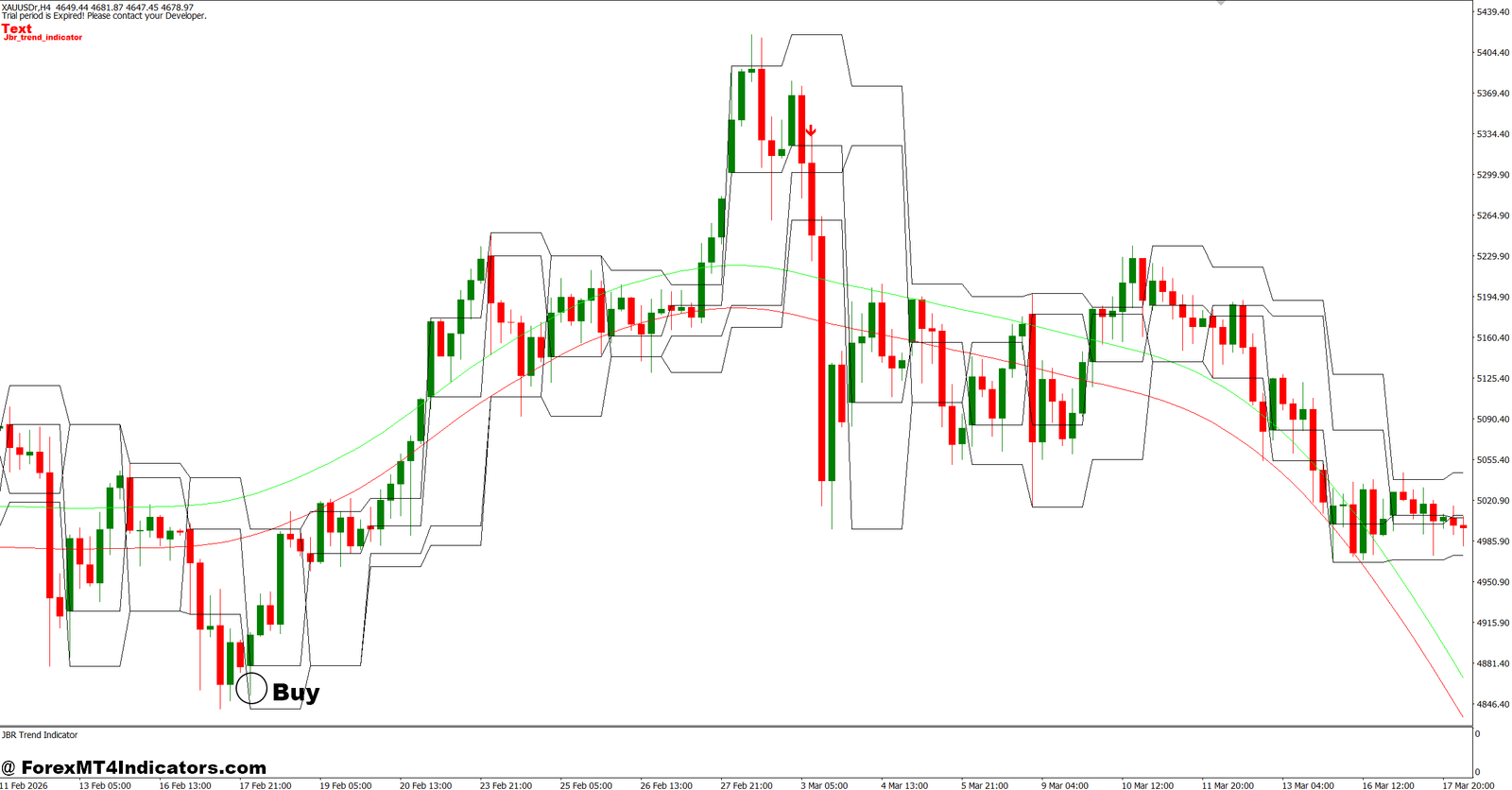
- Wait for bullish color change – Enter only after the indicator turns bullish and the candle closes; use a 20–30 pip stop on EUR/USD H1.
- Buy after breakout confirmation – Take entry when price breaks recent resistance by 10–15 pips and trend remains active.
- Use higher timeframe direction – Buy on H1 only if H4 also shows an uptrend to reduce false signals.
- Place stop below swing low – Keep risk below 1–2% per trade and avoid moving stops early.
- Target minimum 1:2 reward ratio – Risk 25 pips to aim for 50+ pips on trending setups.
- Enter after pullback continuation – Wait for price to retrace 30–50% before rejoining the trend.
- Trade active sessions only – Focus on London and New York sessions for cleaner moves.
- Skip buy signals near major resistance – Avoid entries if resistance sits within 15–20 pips.
Sell Entry
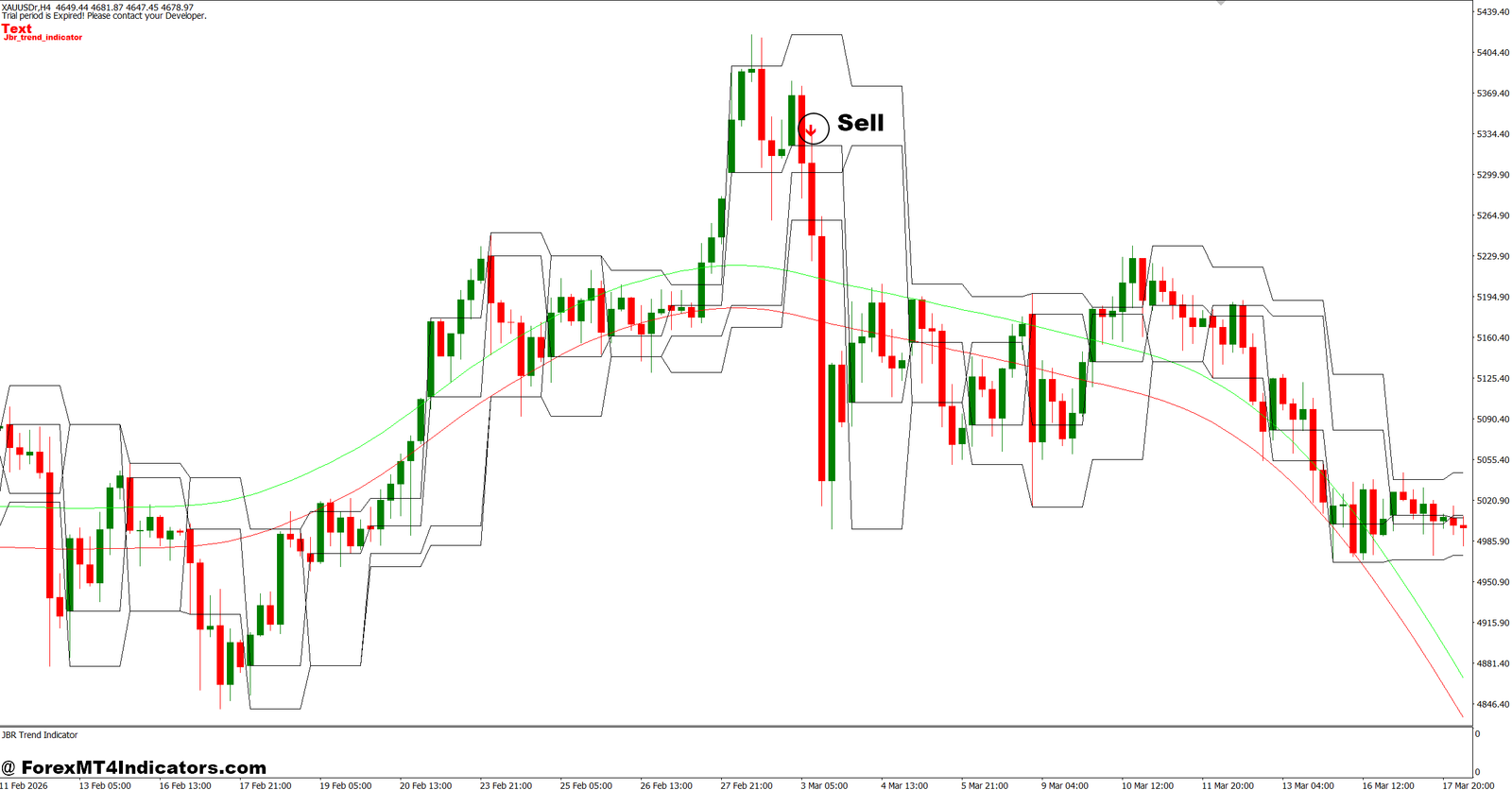
- Wait for bearish trend confirmation – Sell only after indicator turns bearish and candle closes below support.
- Enter after retest failure – On GBP/USD H1, sell when price retests broken support and rejects.
- Use H4 trend filter – Take sell trades only when higher timeframe aligns with downside momentum.
- Set stop above recent high – Keep stops around 25–40 pips depending on volatility.
- Aim for structured exits – Target 50–80 pips instead of holding every trade.
- Avoid ranging markets – Skip signals if price stays inside a 40–50 pip box.
- Reduce size during news events – Don’t open fresh positions 30 minutes before major releases.
- Exit if trend flips quickly – Close early if the indicator changes direction within 2–3 candles to limit drawdown.
Should Traders Use Jbr Trend Indicator MT4?
The Jbr Trend Indicator MT4 fits traders who prefer structured trend-following decisions over aggressive prediction.
Its biggest value comes from filtering noise and helping traders stay aligned with broader price movement. It won’t catch every top or bottom, and it can react slowly during sudden volatility. But many traders accept that compromise because avoiding bad trades often matters more than entering early.
Key takeaways are simple: trend confirmation reduces emotional entries, settings should match timeframe and pair behavior, combining the indicator with market structure improves quality, and risk management still drives long-term outcomes.
Before using real capital, test the Jbr Trend Indicator MT4 on historical charts and a demo account to understand how it behaves under different market conditions.
Already an XM client but missing out on cashback? Open New Real Account and Enter this Partner Code: VIP90Recommended MT4/MT5 Broker
XM Broker

(Free MT4 Indicators Download)

Enter Your Email Address below, download link will be sent to you.